
GUI Configuration
MultiLang provides a GUI (Graphical User Interface) for players to select their language. This guide covers how to configure and customize the GUI.Overview
The GUI configuration file is located atplugins/MultiLang/gui.yml. In this file, you can add base64 textures for every language that will appear in the GUI.
What is Base64?
In simple terms, base64 is a string containing the texture of a player head (skin). It’s used to display custom icons in the language selection GUI.How to Create a Base64
You can generate a base64 from a player head using MineSkin:- Go to MineSkin.org
- Upload a skin or select a head
- Pick the Texture Signature value (this is your base64)
You can also use existing heads from
Minecraft-Heads. In that case, pick the
value field instead of the Texture Signature.Visual Guide
Here’s a simple guide showing how to get the base64: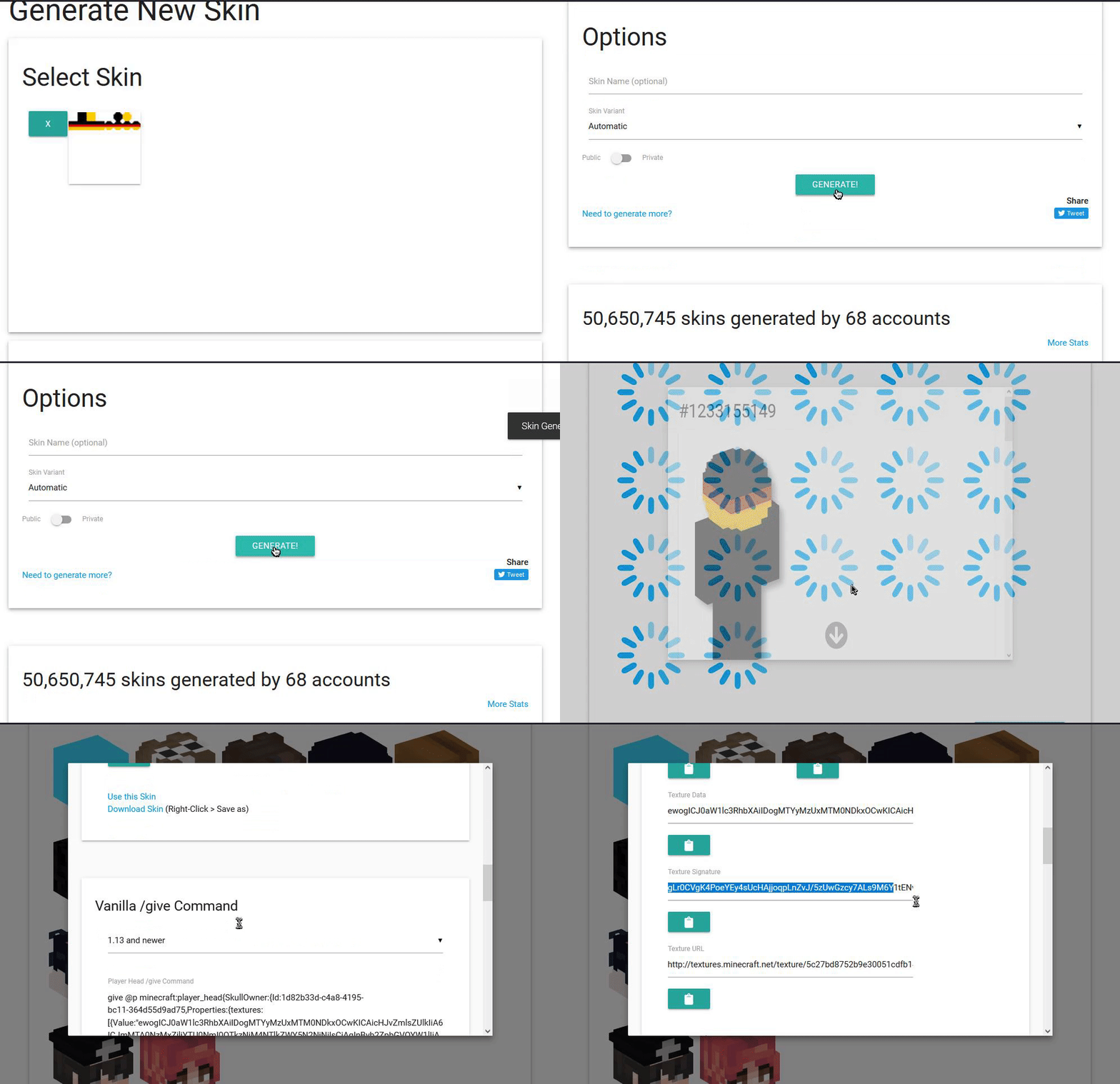
Adding Base64 to a Language
To add a base64 texture to a new language, add it to thegui.yml file:
Example
Language Name Matching
The language name ingui.yml must match exactly with the language name in your config.yml languages section.
Example:
config.yml:
Complete Example
Here’s a complete example of a GUI configuration:Default Base
You can also set a default base64 in yourconfig.yml:
gui.yml.
Best Practices
- Use appropriate icons - Choose icons that represent the language (e.g., flag icons, country symbols)
- Keep it consistent - Use a consistent style for all language icons
- Test the GUI - Always test the GUI in-game to make sure icons display correctly
-
Match language names - Ensure language names match exactly between
config.ymlandgui.yml
Troubleshooting
Q: Icons aren’t showing upA: Make sure:
- The base64 string is correct and complete
- The language name matches exactly between
config.ymlandgui.yml - You’ve restarted the server after making changes
A: Languages without a base64 in
gui.yml will use the default-base from config.yml, or show a default head if no default is set.
Q: Base64 is invalidA: Make sure:
- You copied the complete base64 string
- You’re using the Texture Signature from MineSkin (not the Texture Value)
- The base64 is properly formatted
Related Guides
- Configuration - General configuration guide
- Getting Started - Initial setup